pdfcraft deckcraft — Create and revise slide presentations
Open pdfcraft deckcraft directly in your browser. Bring an existing file, make your changes, and sign in when you are ready to save or export a private copy.
Office workspace
简介
pdfcraft deckcraft: An editable presentation workspace
Use pdfcraft deckcraft to create and revise slide presentations with a focused, editable workflow. A presentation editor with slide layouts, themes, text formatting, shapes, pictures, tables, charts, and a Rust document engine. It provides a starting point for project updates, lessons, product introductions, and talks that need editable slides. Keep an untouched source copy while you inspect the result. A short representative file is a useful first check before committing a complex project to a new editor.
pdfcraft deckcraft: Outline the story
In pdfcraft deckcraft, start with the purpose of the presentation and the question each slide answers. Keep the initial outline short enough to review. Review the surrounding content after each substantial change. The most useful check is whether another person can understand the result without seeing the steps that produced it.
pdfcraft deckcraft: Navigate your slides
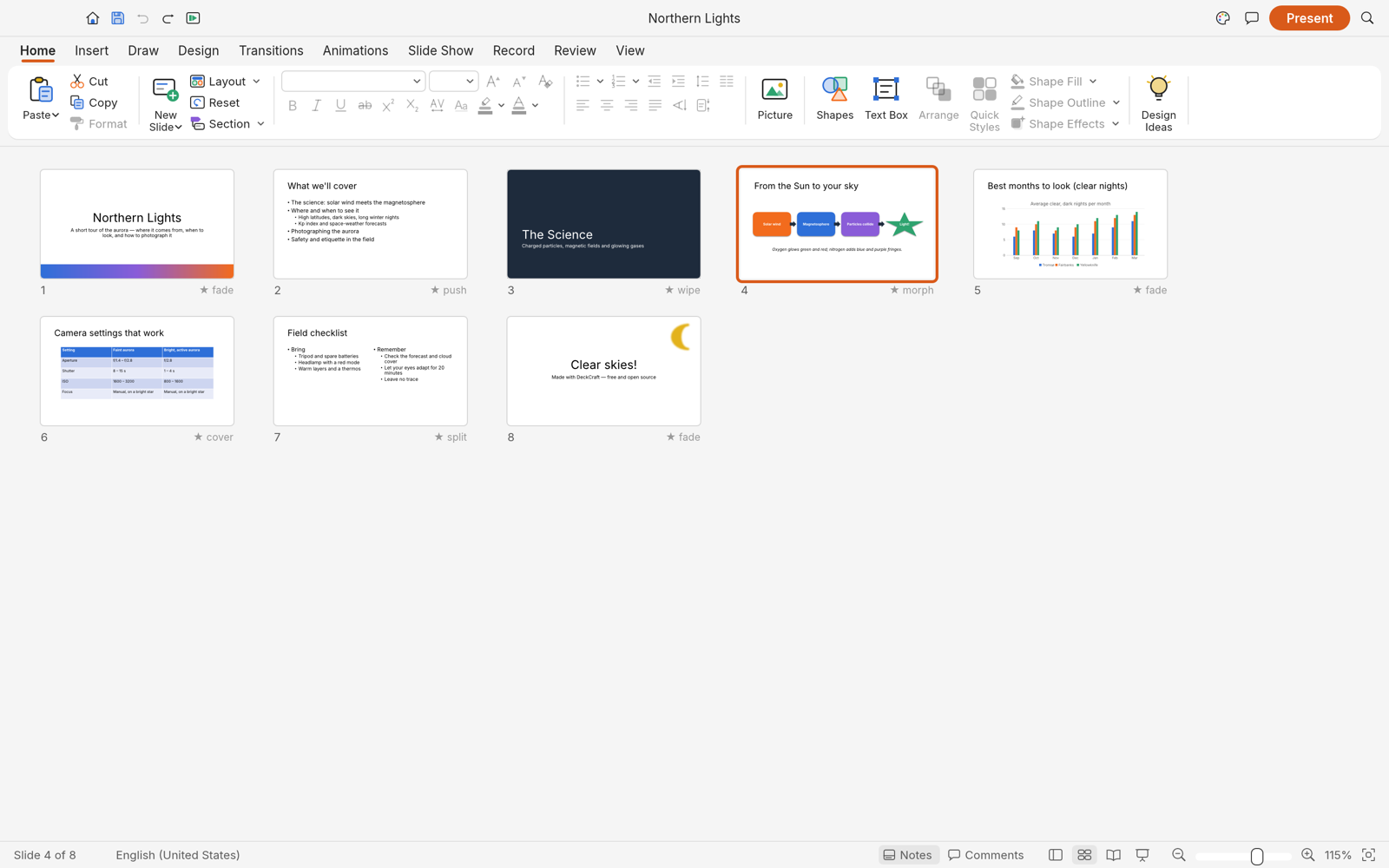
In pdfcraft deckcraft, use the slide thumbnails and sorter to inspect sequence. Move related material together before polishing individual objects. Choose a file name that describes the purpose and version of the work. This makes later review easier when several related copies exist in your private file library.
pdfcraft deckcraft: Keep elements editable
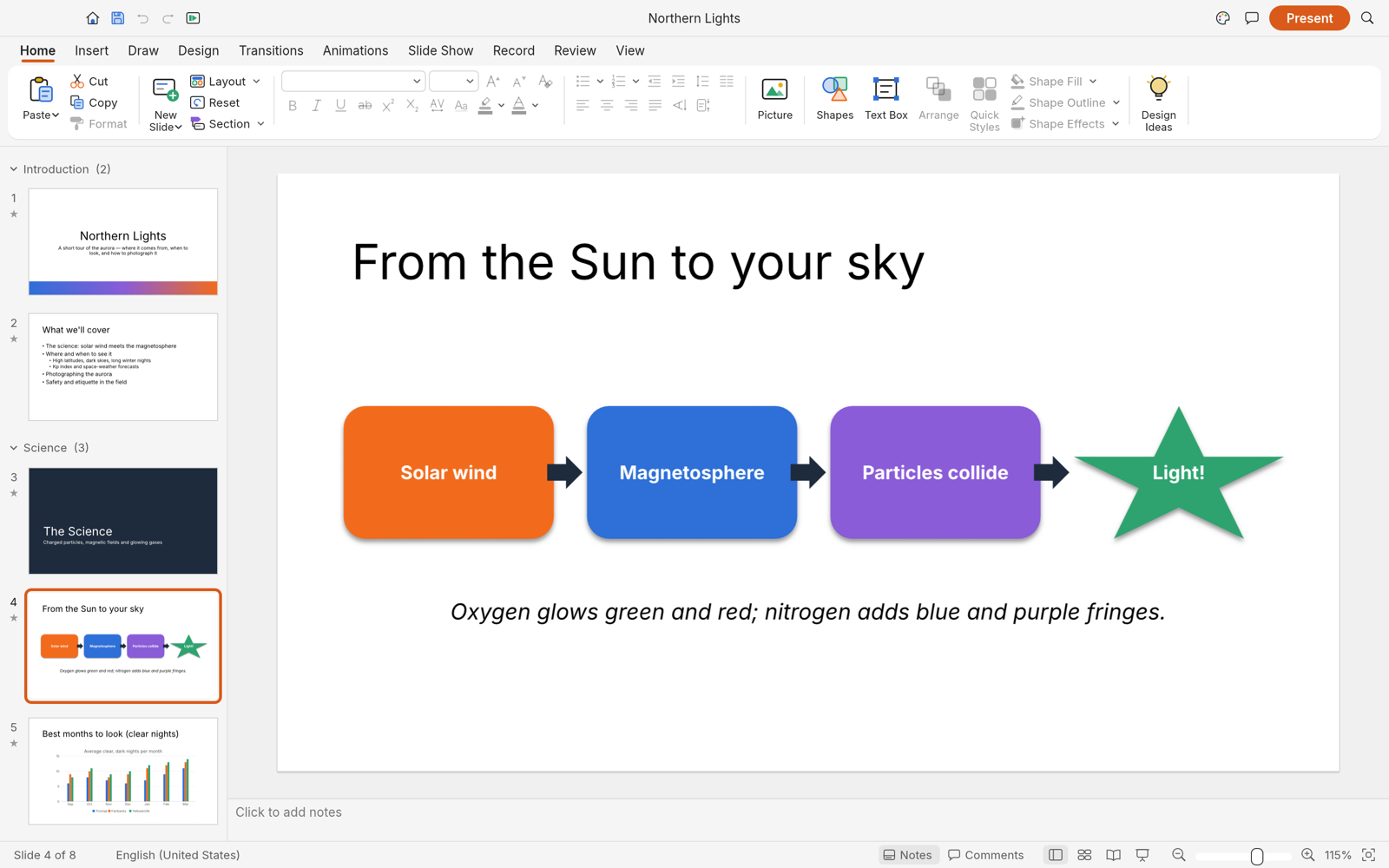
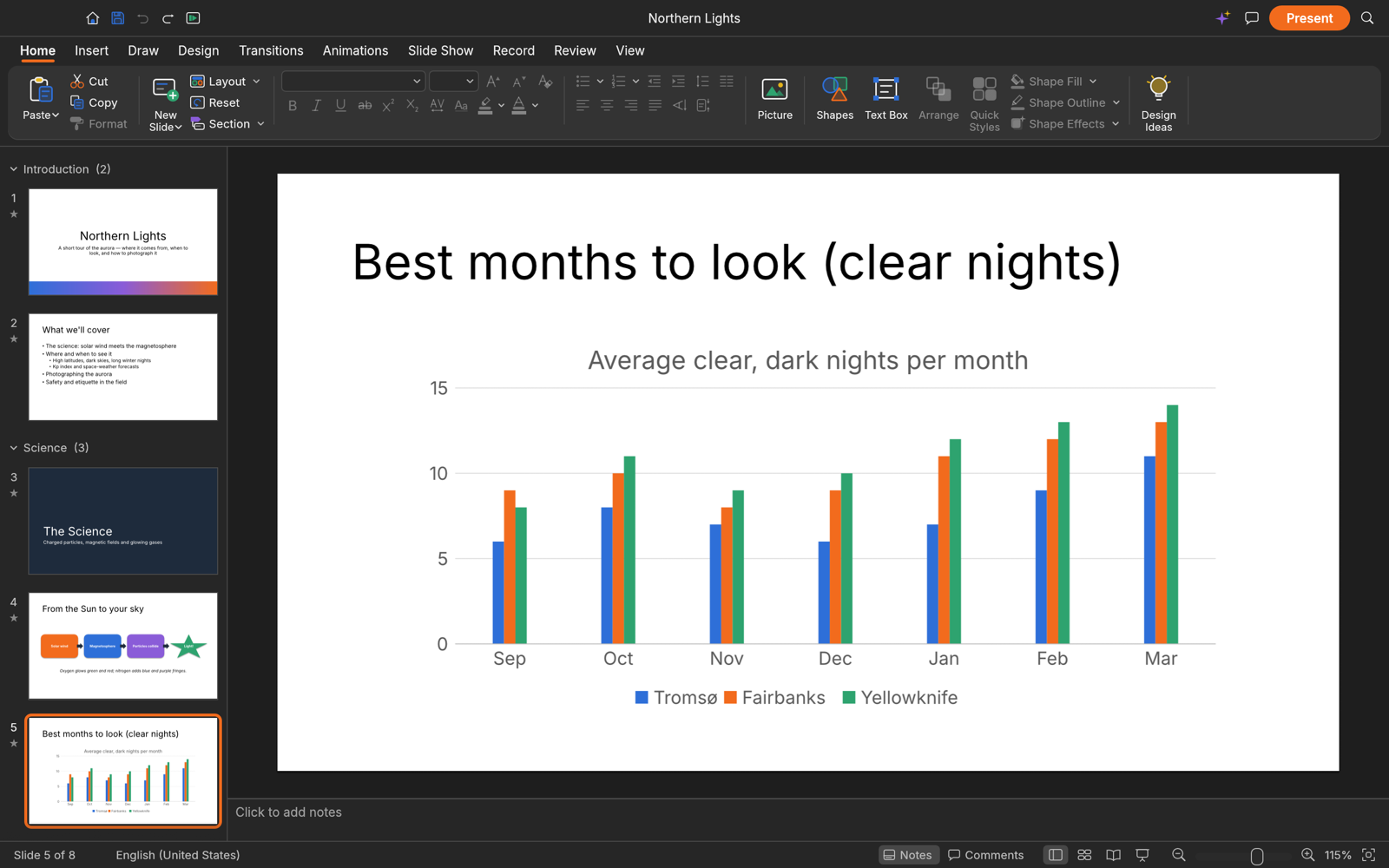
In pdfcraft deckcraft, build slides from text, shapes, pictures, and supported charts. Editable objects make later corrections easier than a single flattened image. Work through one concrete task at a time, then inspect the result in the format your reader will receive. An editable source and a reading copy serve different purposes.
使用方法
How to use pdfcraft deckcraft
- STEP 1
Open the workspace
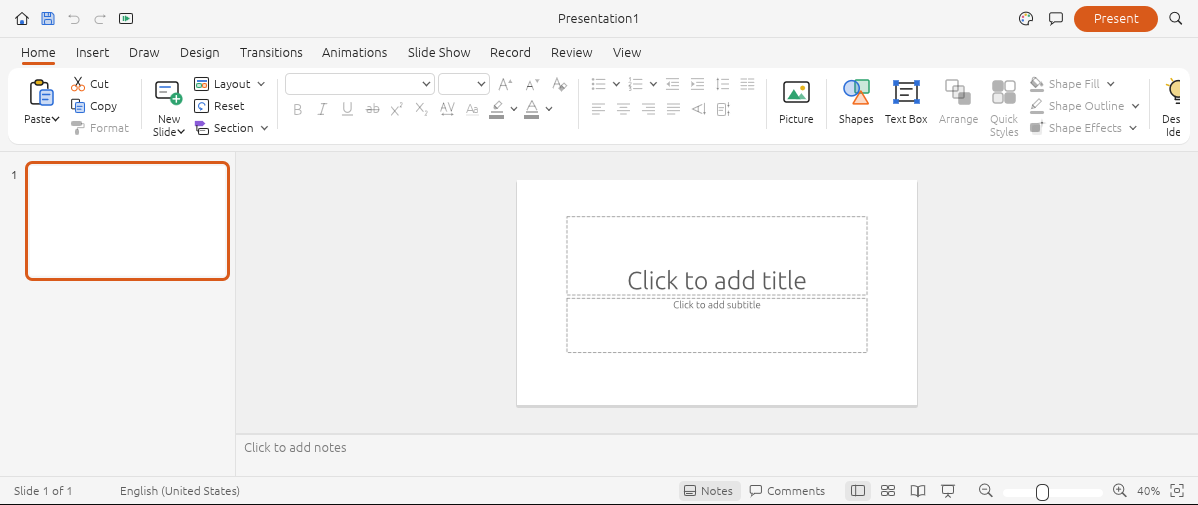
Choose the DeckCraft workspace and open a supported file using the editor menu. Start with a small representative document.
- STEP 2
Make your changes
Use the editor controls to adjust the content, review nearby sections, and check that the result still matches your intended task.
- STEP 3
Sign in to continue
When you save or export, sign in with your account. Your pending file remains in this browser while you complete authentication.
- STEP 4
Save and inspect
Save a private copy, check the recorded result in your files, and inspect the downloaded output before sharing it with another person.
功能
pdfcraft deckcraft: Layouts, themes, and text
Use pdfcraft deckcraft to create and revise slide presentations with a focused, editable workflow. A presentation editor with slide layouts, themes, text formatting, shapes, pictures, tables, charts, and a Rust document engine. It provides a starting point for project updates, lessons, product introductions, and talks that need editable slides. Review the surrounding content after each substantial change. The most useful check is whether another person can understand the result without seeing the steps that produced it.
pdfcraft deckcraft: Choose a starting layout
In pdfcraft deckcraft, use slide layouts and placeholders to establish a consistent structure. Check text fit when importing an existing presentation. Choose a file name that describes the purpose and version of the work. This makes later review easier when several related copies exist in your private file library.
Build a clear hierarchy
In pdfcraft deckcraft, make slide titles, main points, and supporting labels visually distinct. Use text size to help the audience find the central message. Work through one concrete task at a time, then inspect the result in the format your reader will receive. An editable source and a reading copy serve different purposes.
Keep a consistent theme
In pdfcraft deckcraft, choose coordinated colors and fonts, then inspect several slides together. Consistency is most useful when it supports the content. The browser workspace is available before sign-in. Account authentication is required when you want the site to retain a saved result or provide an exported download.
pdfcraft deckcraft: Shapes, pictures, and diagrams
Use pdfcraft deckcraft to create and revise slide presentations with a focused, editable workflow. A presentation editor with slide layouts, themes, text formatting, shapes, pictures, tables, charts, and a Rust document engine. It provides a starting point for project updates, lessons, product introductions, and talks that need editable slides. Choose a file name that describes the purpose and version of the work. This makes later review easier when several related copies exist in your private file library.
Explain a process
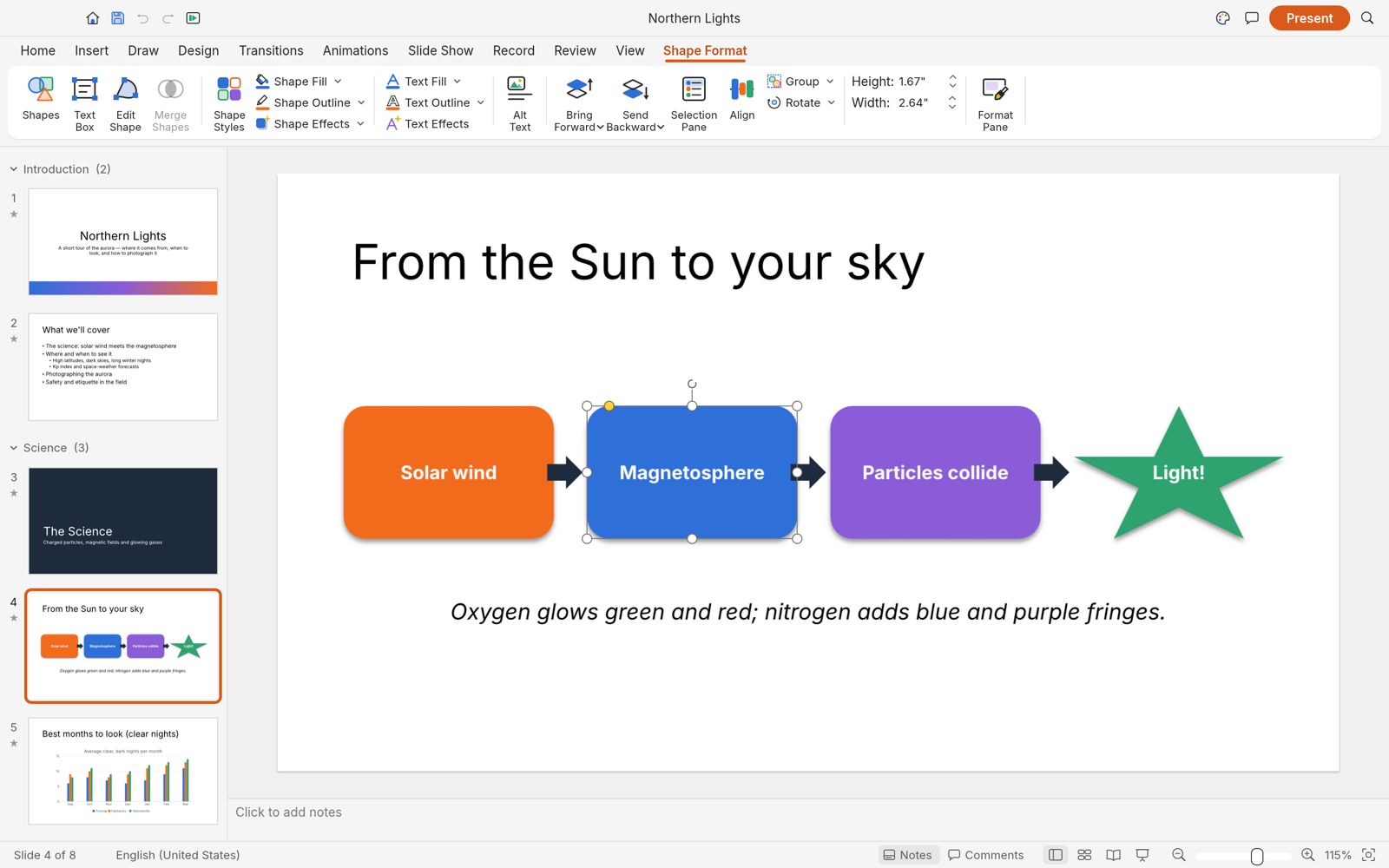
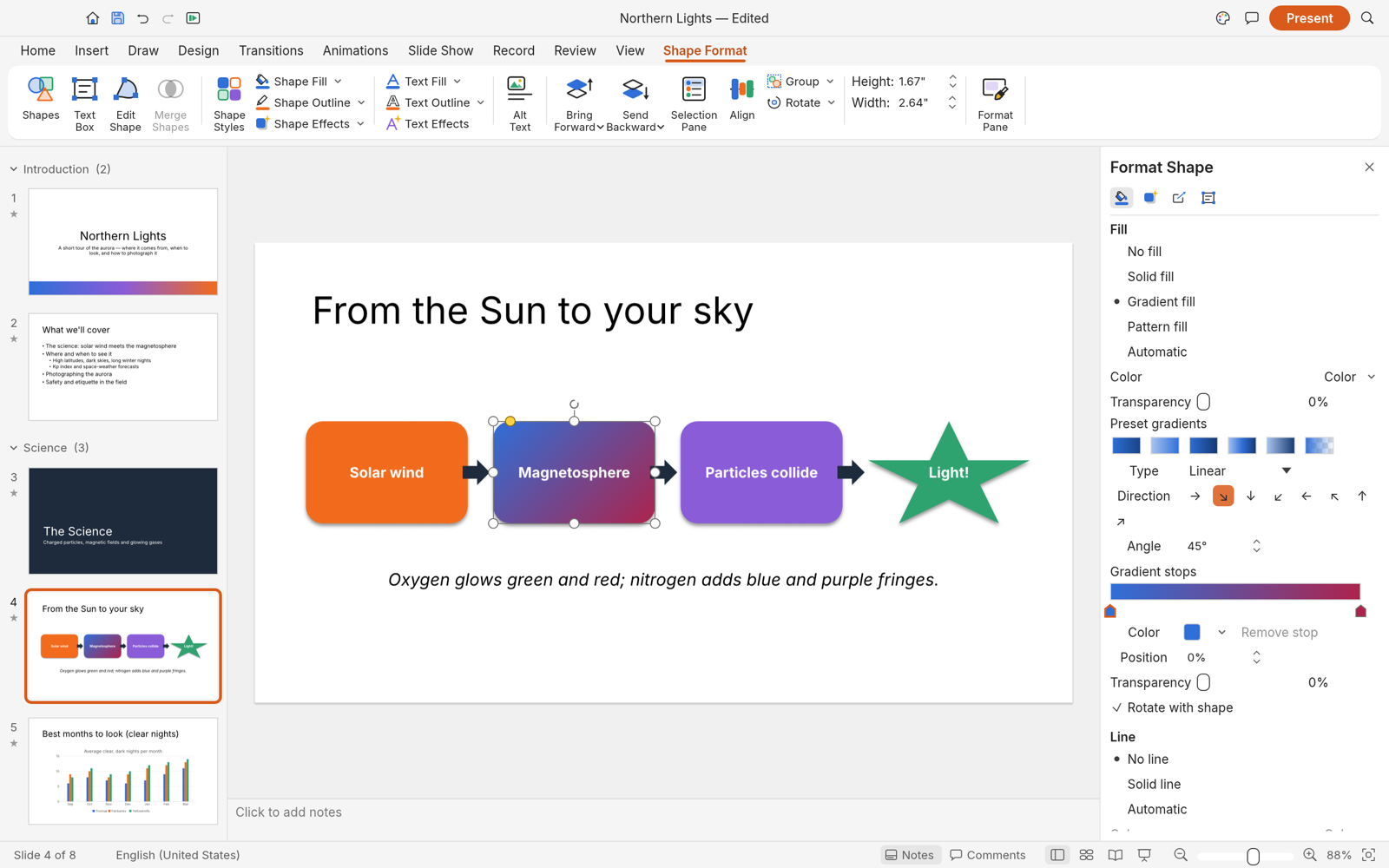
In pdfcraft deckcraft, use shapes and connectors to show steps or relationships. Keep labels brief and check the direction of each connector. Work through one concrete task at a time, then inspect the result in the format your reader will receive. An editable source and a reading copy serve different purposes.
Add a useful picture
In pdfcraft deckcraft, place a picture where it supports a specific point. Review crop and proportions so important details remain visible. The browser workspace is available before sign-in. Account authentication is required when you want the site to retain a saved result or provide an exported download.
Arrange the slide
In pdfcraft deckcraft, inspect alignment, spacing, fills, and outlines. Leave enough empty space for the audience to distinguish separate groups. Complex imported files deserve extra attention. Compare layout, text, values, and supported objects with the source before treating an exported copy as the final version.
pdfcraft deckcraft: Present and review
Use pdfcraft deckcraft to create and revise slide presentations with a focused, editable workflow. A presentation editor with slide layouts, themes, text formatting, shapes, pictures, tables, charts, and a Rust document engine. It provides a starting point for project updates, lessons, product introductions, and talks that need editable slides. Work through one concrete task at a time, then inspect the result in the format your reader will receive. An editable source and a reading copy serve different purposes.
Check the slide sequence
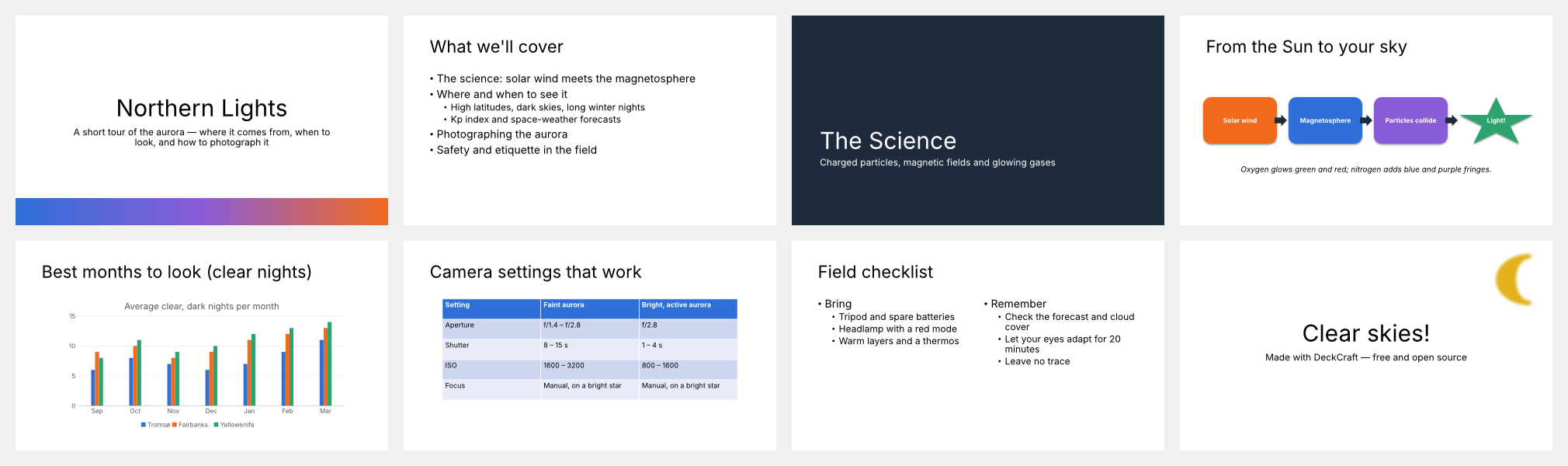
In pdfcraft deckcraft, read the deck from start to finish and remove repeated points. Slide sorter view helps reveal gaps in the narrative.
Review motion deliberately
In pdfcraft deckcraft, the upstream project includes transitions and animations. Verify the particular effect in the browser and in exported presentations.
Prepare supporting notes
In pdfcraft deckcraft, keep presenter notes separate from audience-facing text. Rehearse the explanation instead of placing every sentence on the slide.
pdfcraft deckcraft: Presentation files and exports
Use pdfcraft deckcraft to create and revise slide presentations with a focused, editable workflow. A presentation editor with slide layouts, themes, text formatting, shapes, pictures, tables, charts, and a Rust document engine. It provides a starting point for project updates, lessons, product introductions, and talks that need editable slides. The browser workspace is available before sign-in. Account authentication is required when you want the site to retain a saved result or provide an exported download.
Work with PowerPoint files
In pdfcraft deckcraft, pPTX import and export are supported upstream. Review complex decks carefully because compatibility and media settings still have gaps.
Share a fixed document
In pdfcraft deckcraft, export PDF pages for reading and review. Check the resulting pages rather than assuming every effect becomes part of a static file.
Keep your saved presentation
In pdfcraft deckcraft, sign in to save or export a result. The file is stored privately and the completed operation appears in AI Tasks.
pdfcraft deckcraft: Practical presentation projects
Use pdfcraft deckcraft to create and revise slide presentations with a focused, editable workflow. A presentation editor with slide layouts, themes, text formatting, shapes, pictures, tables, charts, and a Rust document engine. It provides a starting point for project updates, lessons, product introductions, and talks that need editable slides. Complex imported files deserve extra attention. Compare layout, text, values, and supported objects with the source before treating an exported copy as the final version.
Present a project update
In pdfcraft deckcraft, group progress, open questions, and next steps into separate slides. Use a short title that states the point of each page.
Teach a small lesson
In pdfcraft deckcraft, introduce one idea, show an example, and follow with an exercise. Keep diagrams and labels large enough to read.
Explain a product
In pdfcraft deckcraft, use a clear problem, a concrete demonstration, and a closing action. Verify any inserted media before sharing the presentation.
用户评价
H3Max 视频创作者反馈。
H3Max creator reviews

我用MiniMax H3一个下午就为我的游戏制作了完整的角色宣传片。每一帧的菜单UI都清晰可读,角色也从未偏离原设定。过去这需要我外包给承包商,耗时三周。

我们测试了市面上所有AI视频生成器的风格化效果。H3是唯一能在转场中保持我们动漫风格的工具。现在每个项目的提案样片和动态分镜都靠它。

我上传了四张产品照片,当天就获得了一条带音乐和配音的上架视频。新商品页面的点击率提升了38%。H3甚至准确还原了我包装上的标签文字。

我每周要为三个品牌发布五条竖屏视频。MiniMax H3让我从需求到初稿不到一小时,声音也已同步。以前我需要一名摄像师和两轮审核。

剪辑功能最打动我。客户想更换采访背景——我在MiniMax H3中输入一句话,被摄主体的光线就自动匹配了新场景。

在正式拍摄前,我用MiniMax H3预演了整部短片。变焦、匹配剪辑、甚至标题卡——它理解导演语言,而不只是关键词。
Local editing and document saves use no AI generation credits. Sign in to save or export.
pdfcraft 价格与积分套餐
随时取消
Lite
50%折扣0.025/积分
每年计费$179· 节省$179.8
视频模型


图像模型



- 包含 MiniMax H3 及所有高级模型
- 最多1个批量生成任务
- 标准生成速度
- 标准生成成功率
- 标准客户支持
- 商业使用许可
Standard
50%折扣0.017/积分
每年计费$299· 节省$299.8
视频模型
图像模型
- 包含 MiniMax H3 及所有高级模型
- 最多4个批量生成任务
- 优先处理速度
- 高生成成功率
- 优先客户支持
- 商业使用许可
Pro
50%折扣0.014/积分
每年计费$599· 节省$599.8
视频模型
图像模型
- 包含 MiniMax H3 及所有高级模型
- 最多10个批量生成任务
- 最快生成速度
- 高生成成功率
- 专属客户经理
- 商业使用许可
Max
50%折扣0.012/积分
每年计费$1,199· 节省$1,199.8
视频模型
图像模型
- 包含 MiniMax H3 及所有高级模型
- 最多10个批量生成任务
- 最快生成速度
- 高生成成功率
- 专属客户经理
- 商业使用许可
通过以下方式安全支付























常见问题
Frequently asked questions
What is pdfcraft deckcraft?
pdfcraft deckcraft is the DeckCraft browser workspace on pdfcraft.tools, built from the open-source storytold project. It helps you create and revise slide presentations. The site adds account-based saving and file records around the editor.
Do I need an account to try pdfcraft deckcraft?
You can open pdfcraft deckcraft and work with local files before signing in. Saving to the site or exporting a result requires authentication. A pending save is kept in this browser while you sign in.
Where does pdfcraft deckcraft save my files?
pdfcraft deckcraft saves results in the site’s private user storage. Each completed operation creates an AI Tasks record with the file name and output reference. Access to the saved file is checked against the owning account.
Can pdfcraft deckcraft open every PPTX file?
pdfcraft deckcraft uses an upstream editor that is still in alpha. Supported files can be opened and edited, but complex layouts and advanced features need a comparison with the source. Keep the original and inspect exports.
Does pdfcraft deckcraft charge credits for local editing?
pdfcraft deckcraft runs editing in your browser. These document saves are recorded as zero-credit operations. The site’s separate AI image and video tools keep their own displayed pricing and generation workflow.
行动入口
Start working with pdfcraft deckcraft
Bring a file to pdfcraft deckcraft, make a focused change, and inspect the result. Sign in when you are ready to save your private copy.
Open the workspace